Identify what can be checked
Start with an authorized service exposed by a recorder, controller, or related network device. Confirm the endpoint, access, and equipment model before monitoring starts.

Check configured services on your security equipment and follow up when an incident affects your site.
Start with an authorized service exposed by a recorder, controller, or related network device. Confirm the endpoint, access, and equipment model before monitoring starts.
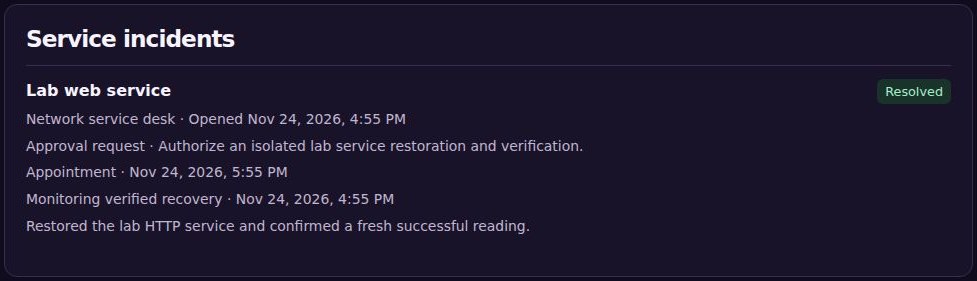
See who is assigned to respond, review any requests for approval, and track service appointments in the client portal.
A connectivity check shows whether the configured service responds. Recording health, video quality, and door or lock state require compatible integrations that are still in development.
When a lab web service stopped responding, SRVCDWN opened a case for the network service desk. The client portal showed when the service responded again and how the case was closed.
See the full pilot walkthroughShare your locations and the camera, access control, and network systems you want to monitor.
Discuss monitoring for your security systems