Track covered services by property
Review health for configured equipment and services in your organization. A site can have different providers assigned to different equipment.

See which covered services need attention, approve work, and track what your service providers have done.
Review health for configured equipment and services in your organization. A site can have different providers assigned to different equipment.
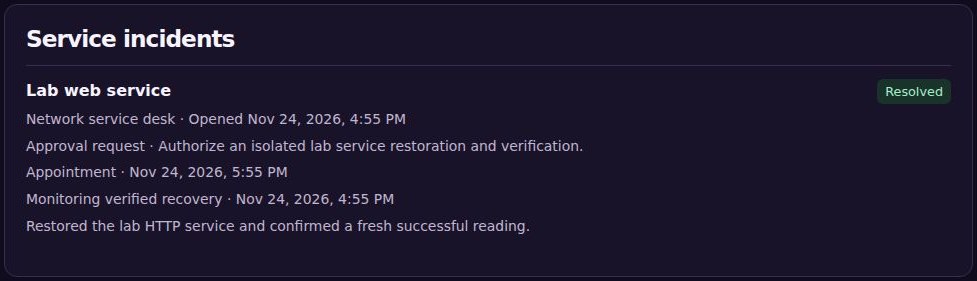
Follow the incident in the client portal. When the assigned provider requests approval, the authorized client can respond and see the appointment after the provider records it.
See the provider’s service note and the successful recovery check when available. Device-specific checks such as recorder health or door and lock state require separate validation.
In the controlled pilot, the provider requested approval after a lab web service outage. The test property manager approved the work in the client portal, and the provider recorded an appointment. The client portal kept the appointment and recovery time together on the incident.
See the full pilot walkthroughShare your property locations, which equipment matters most, and which providers already service it.
Discuss monitoring for your properties